
New Retail OLED Display Application Solution OLED Display Appli
Project overview: This case study documents a wide-format installation made from six 55-inch transparent OLED displays arranged in a 2 × 3 layout. The photographs show the panels assembled as one horizontal display wall in an interior with glass partitions and technical equipment behind it. The result combines a large digital canvas with a view into the room, giving the screen a different visual character from an opaque television wall.
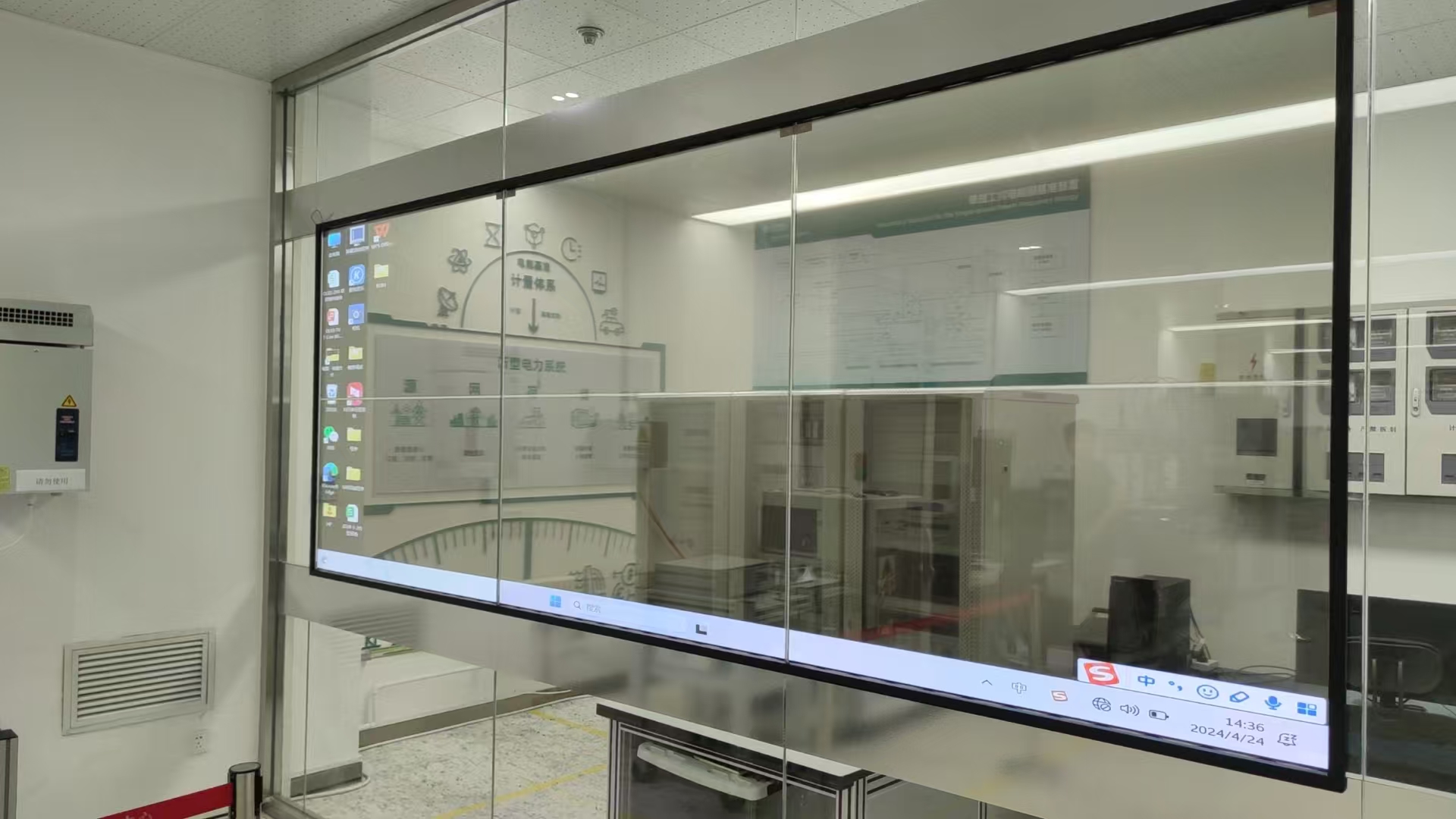
A single 55-inch display can provide a focused presentation surface. Arranging six panels in two rows and three columns creates a much broader visual field while keeping the installation modular. In the supplied photographs, the landscape-oriented panels sit within a continuous dark perimeter frame. The vertical and horizontal joins remain visible, so the installation reads as a carefully aligned multi-panel wall rather than a single seamless sheet. That honest detail matters when planning content: layouts should respect panel boundaries and avoid placing small text, logos, or important interface elements directly across a join.
The 2 × 3 arrangement offers room for dashboards, diagrams, product information, video, or a combination of content zones. The image shown on the displays spans the width of the wall, while application icons and a taskbar remain visible at the left and lower edges. For a finished presentation, content can be designed to use the full canvas, or divided into clearly separated sections for different sources. The appropriate approach depends on viewing distance, the amount of information, and how the display will be operated day to day.
Transparent OLED adds a layer of imagery without turning the entire opening into a solid visual block. In these photographs, room details, glass partitions, equipment, and reflections remain visible through the display area. When content is present, bright colors stand out against the real environment; when content is sparse or dark, more of the background remains perceptible. This relationship between image and surroundings can help a display feel integrated with its setting rather than detached from it.
Transparency also changes how the installation should be evaluated. Ambient light, reflections, background contrast, and the position of the viewer all influence the perceived picture. The project photos are useful because they show the OLED wall in a real interior rather than as an isolated product render. They let prospective planners consider both sides of the experience: the information presented on screen and the space that remains visible behind it. Final performance should always be assessed in the intended location with representative content and lighting.
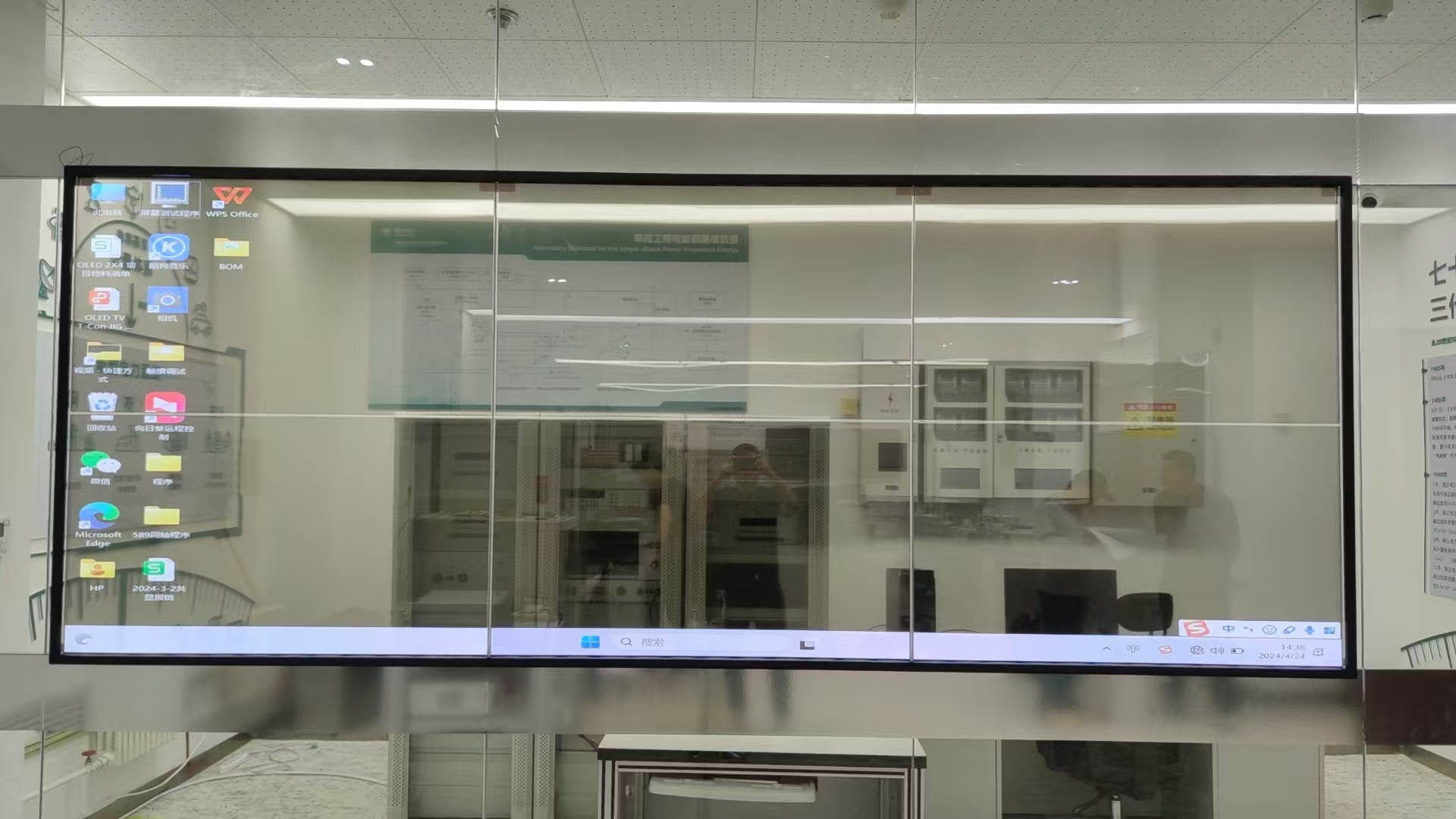
Successful multi-panel projects begin with the physical layout. The mounting structure must support the combined weight, maintain consistent spacing, and provide access for connections and servicing. The photographed installation uses a dark frame around the outer edge and visible lines between panels. During planning, teams should confirm the finished width and height, mounting points, cable routes, ventilation needs, and the method for reaching each display. These details should be checked against the actual site drawings and the selected product specifications.
Content planning is equally important. A six-panel wall can show one continuous composition or multiple independent areas. A continuous canvas creates a strong panoramic impression, but designers need to account for the panel joins and the display controller's mapping. A multi-zone design can keep menus, live information, and video separate, making each area easier to update. Text should be large enough for the expected viewing distance, with simple contrast and uncluttered layouts. Motion and color should support the message instead of competing with the visible surroundings.
Commissioning should include checking panel order, image orientation, color consistency, alignment, and playback from every planned source. Teams should test the real content rather than relying only on a blank test pattern, because fine lines and interface elements reveal alignment issues quickly. It is also useful to review the display from several positions and under the lighting conditions expected during normal operation. The photographs show reflections and a bright interior, making this kind of site-specific review especially relevant.
The display system should fit the way people will use the room. If presentations are the main purpose, the interface should make it straightforward to select a source, start a presentation, and return to a standard view. If the wall will show a changing mix of material, the content workflow should define who updates each zone and how files are checked before they appear. A clear operating plan helps the six panels function as one communication surface, even when different teams prepare the material.
For designers, the transparent surface invites restraint. A strong image or a concise message can be easier to read than a dense page of small text layered over a complex background. Where the real room carries useful context, content can frame that view instead of hiding it. Where the message needs full attention, a more substantial visual composition may be appropriate. Reviewing sample content on the actual display is the best way to judge this balance, since transparency and reflections are part of the viewing experience.
A transparent OLED video wall may suit corporate showrooms, reception areas, product experience spaces, and exhibition environments where visitors benefit from seeing both digital information and the physical setting. The 2 × 3 configuration can provide a substantial shared canvas for presentations or visual communication while preserving a degree of openness. Whether it is the right fit depends on the room, content, viewing distance, mounting conditions, and the required operating workflow. This case is a reference for the arrangement and visual effect shown in the photographs, not a substitute for confirming project-specific technical requirements.
Explore the transparent OLED display series for product options, browse the display product range, or see more installations in our project case studies. For a proposed layout, share the opening dimensions, viewing distance, content sources, and site photographs so the display configuration can be reviewed against the actual application.

Tel:+86-18576612314
Email:admin@nexoled.com
WhatsApp:+86 17777782574
